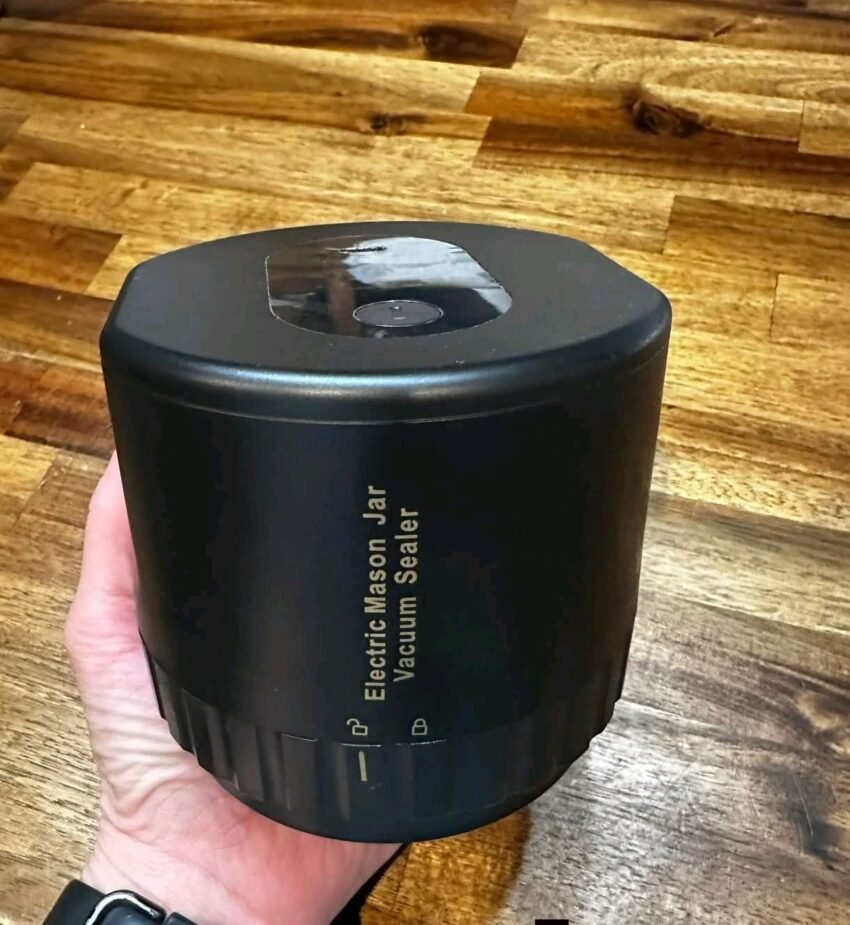
I Bought a Mason Jar Vacuum Sealer and I Cannot Get It to Work—Here’s How to Fix It Before You Toss It 🤪
Frustrated with a mason jar vacuum sealer that won’t run? Discover troubleshooting tips, step-by-step fixes, and expert advice to get your jar sealer working without tossing it.
The Struggle Is Real
You bought a mason jar vacuum sealer to save food, reduce waste, and keep pantry items fresh—but now it won’t even turn on. You press the button, and… nothing.
Before you throw it across the kitchen (tempting, we know 😅), there are a few common issues and simple fixes that can save your sanity—and your jar sealer.
Step 1: Check the Power Source
Sometimes the simplest things are overlooked:
-
Battery-powered sealers: Make sure the batteries are installed correctly and fully charged.
-
Corded sealers: Ensure it’s plugged in securely. Test the outlet with another device.
-
On/off switch: Some models require you to press and hold the button for a few seconds to start.
Pro tip: If you’re using a USB-rechargeable model, try charging it fully before attempting to seal.
Step 2: Inspect the Jar and Lid
-
Correct lid type: Most vacuum sealers only work with special mason jar lids that are compatible with the vacuum pump.
-
Seal ring in place: Check the rubber gasket on the lid; if it’s missing, cracked, or dirty, the vacuum won’t form.
-
Jar placement: Make sure the sealer is seated directly on the lid—misalignment is a common culprit.
Step 3: Check the Vacuum Mechanism
-
Listen for pumping sounds. If you hear nothing, the motor might be jammed or the battery is dead.
-
Clean any residue or crumbs from the sealing area. Food particles can prevent suction.
-
Some models have a manual reset button—consult your manual.
Step 4: Follow the Instructions to the Letter
Yes, sometimes those tiny manuals actually matter. Common missteps include:
-
Not placing the lid properly
-
Pressing the wrong button (some models have separate “vacuum” and “seal” buttons)
-
Not waiting long enough for the vacuum to form
Tip: Watch a quick video tutorial for your exact model. Seeing it in action can save you hours of frustration.
Step 5: When to Call Support
If you’ve checked:
-
Power source
-
Lid compatibility
-
Vacuum mechanism
…and it still doesn’t work, it may be a defective unit. Contact the manufacturer for a replacement or troubleshooting support.
My Real-Life Experience
I bought a mason jar vacuum sealer thinking it would be “easy-peasy.” Hours later, I was about to toss it across the kitchen. 🤦♀️
After checking:
-
The batteries were slightly misaligned
-
The lid had a tiny bit of jammed sugar
-
I had been pressing the seal button instead of the vacuum button
Voila! It worked perfectly. Now my nuts, coffee beans, and pasta stay fresh for weeks. Lesson learned: patience and checking the basics can save your sanity—and your jars.
Frequently Asked Questions
Can I use regular mason jar lids?
No—only lids compatible with your vacuum sealer will create a proper vacuum.
Why does it stop mid-seal?
The seal may be misaligned, the gasket is dirty, or the battery is weak.
Do I need to clean the sealer after every use?
Yes—crumbs, sugar, or liquid can prevent proper suction.
Can I vacuum liquids?
Most basic models only handle dry or semi-dry foods. Liquids can leak into the pump.
Is it normal for it to take a few tries?
Yes—especially with new units or first-time use. Consistency improves with practice.
A mason jar vacuum sealer can be life-changing for food storage, but getting it to work the first few times can be frustrating.
Before you toss it:
-
Check the power source
-
Inspect the lid and gasket
-
Clean the vacuum mechanism
-
Follow the manual step by step
With a little patience, your sealer will start locking in freshness, and you’ll wonder how you ever lived without it.